Chapter 5. Graphics Optimization with Renderer Shader User Value
5.1. Introduction
Unity 6.3 added a feature called Renderer Shader User Value (RSUV). RSUV is a 32-bit integer value that can be set per Renderer component and can also be referenced from shaders. In Unity 6000.3.0f1 and later, RSUV can be used with MeshRenderer and SkinnedMeshRenderer, and in Unity 6000.5.0f1, 6000.4.4f1, and 6000.3.13f1 and later, it is also supported on SpriteRenderer *1, SpriteShapeRenderer, and TilemapRenderer. Usage is simple: set the RSUV on a renderer with Renderer.SetShaderUserValue(), and reference it in the shader with unity_RendererUserValue.
uint value = /* ... */;
meshRenderer.SetShaderUserValue(value);
value = meshRenderer.GetShaderUserValue();
uint value = unity_RendererUserValue;
The same thing as in this example can also be achieved with material parameters. However, using RSUV may improve memory allocation and frame rate compared with materials, especially in situations that draw large numbers of objects. This chapter explains the background of RSUV, how to use it effectively, and also presents performance measurement results.
5.1.1. Unity's Mass-Rendering Features and the Background of RSUV
First, let us review the background that made RSUV necessary. Performance when displaying a large number of objects at once has always been a headache in Unity. The performance problems in mass rendering are mainly these three: CPU load from material switching, an increase in DrawCalls, and memory allocation from material duplication.
CPU Load from Material Switching
When drawing multiple objects with different materials, the material data had to be collected for each object and sent to the GPU every frame, and the CPU processing cost of this was large. The SRP Batcher solves this problem. By persisting material data in GPU memory, it can draw multiple objects with different materials at relatively low cost as long as they use the same shader.
Increase in DrawCalls
GPU instancing is a technique that draws multiple objects with the same shader, mesh, and material in a single DrawCall. Its conditions for application are stricter than the SRP Batcher's, but in exchange it is more effective than the SRP Batcher when drawing a large number of objects. With the introduction of the GPU Resident Drawer in Unity 6, GPU instancing is now applied automatically even to rendering with regular MeshRenderers when the conditions are met.
Memory Allocation from Material Duplication
The last problem is the situation where you want to vary the material while using the SRP Batcher or GPU instancing. Unity has long had MaterialPropertyBlock, which overrides only some parameters without duplicating the material instance, but it was not compatible with the SRP Batcher or the GPU Resident Drawer. RSUV solves this problem: while using the SRP Batcher or the GPU Resident Drawer, you can pass a different 32-bit parameter to the shader for each object without using materials.
RSUV was the last piece needed to solve the three problems above at the same time. You can keep the cost of material switching low with the SRP Batcher, perform efficient GPU instancing with the GPU Resident Drawer, and still render with per-instance variation. Even in situations where automatic instancing by the GPU Resident Drawer does not apply, you benefit from avoiding duplication of material instances and thus reducing memory consumption.
5.2. Simple Usage
Let us look at how to use RSUV in practice. RSUV is represented as a 32-bit integer (uint) in C# / HLSL, so to pass, for example, a 32-bit color (four RGBA channels of 8 bits each), you pack it with bit operations as follows.
Color32 color = /* ... */;
var colorEncoded = (uint)(color.r << 24 | color.g << 16 | color.b << 8 | color.a);
meshRenderer.SetShaderUserValue(colorEncoded);
Next is the shader-side implementation, for which we assume ShaderGraph. ShaderGraph has no dedicated node for getting the RSUV, so use a Custom Function node, configure it as shown (Figure 5.1), and enter the code.
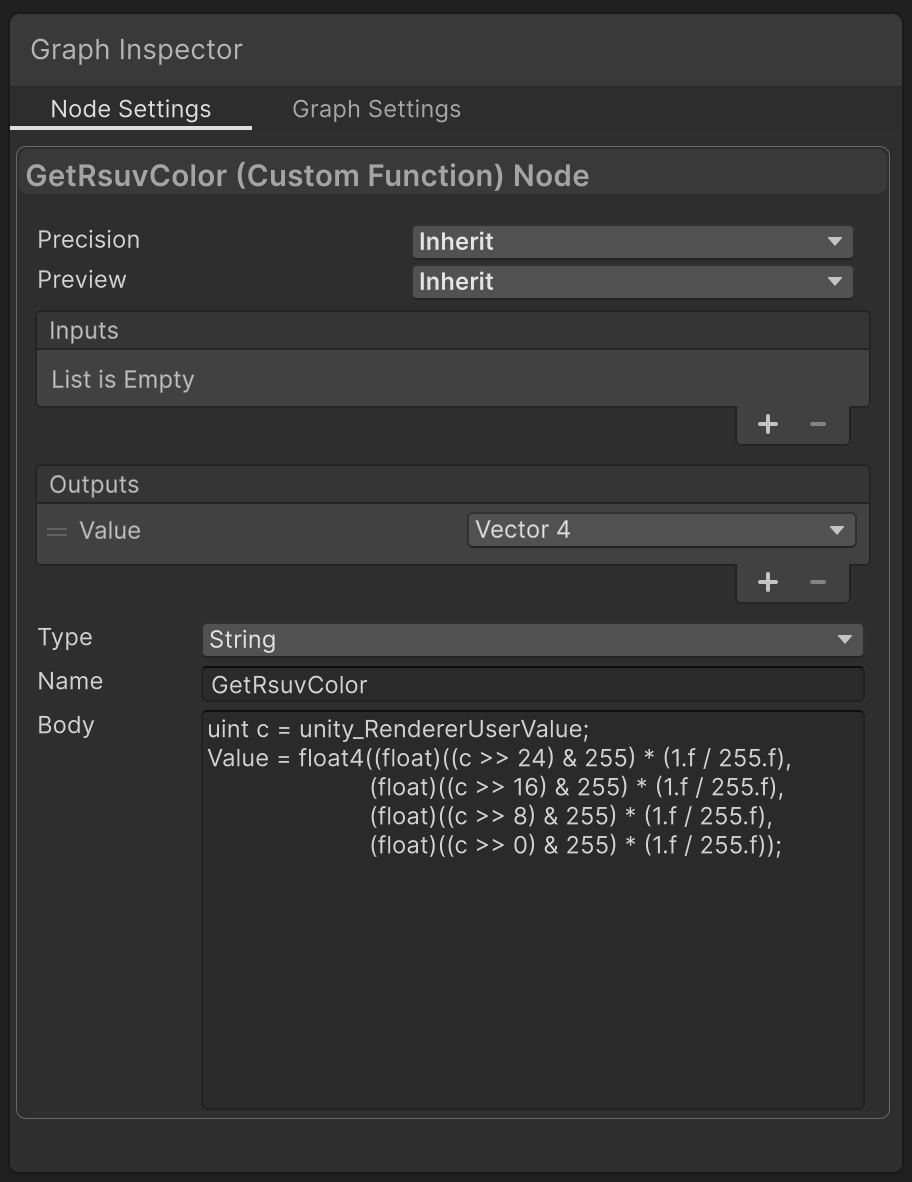
Figure 5.1: Node settings
uint rsuv = unity_RendererUserValue;
Value = float4((float)((rsuv >> 24) & 255) * (1.f / 255.f),
                        (float)((rsuv >> 16) & 255) * (1.f / 255.f),
                        (float)((rsuv >> 8) & 255) * (1.f / 255.f),
                        (float)((rsuv >> 0) & 255) * (1.f / 255.f));
Connect the node and confirm that the RSUV is being received.
5.3. Performance Measurement
To confirm that RSUV is effective in mass-rendering situations, we measured memory allocation and frame rate under the following conditions.
- Unity 6000.3.15f1
- URP 17.3
- iPhone 12
- Scene: 10000 Spheres
- SRP Batcher enabled
- Compared with and without per-frame parameter changes
- Compared with the GPU Resident Drawer enabled and disabled
- A different shader parameter per Sphere, set in three ways
- Per-Renderer material: create and assign 10000 Materials
- RSUV: one Material, with an RSUV set per Renderer
- MaterialPropertyBlock: one Material and 10000 MaterialPropertyBlocks (excluded from the SRP Batcher / GPU Resident Drawer)
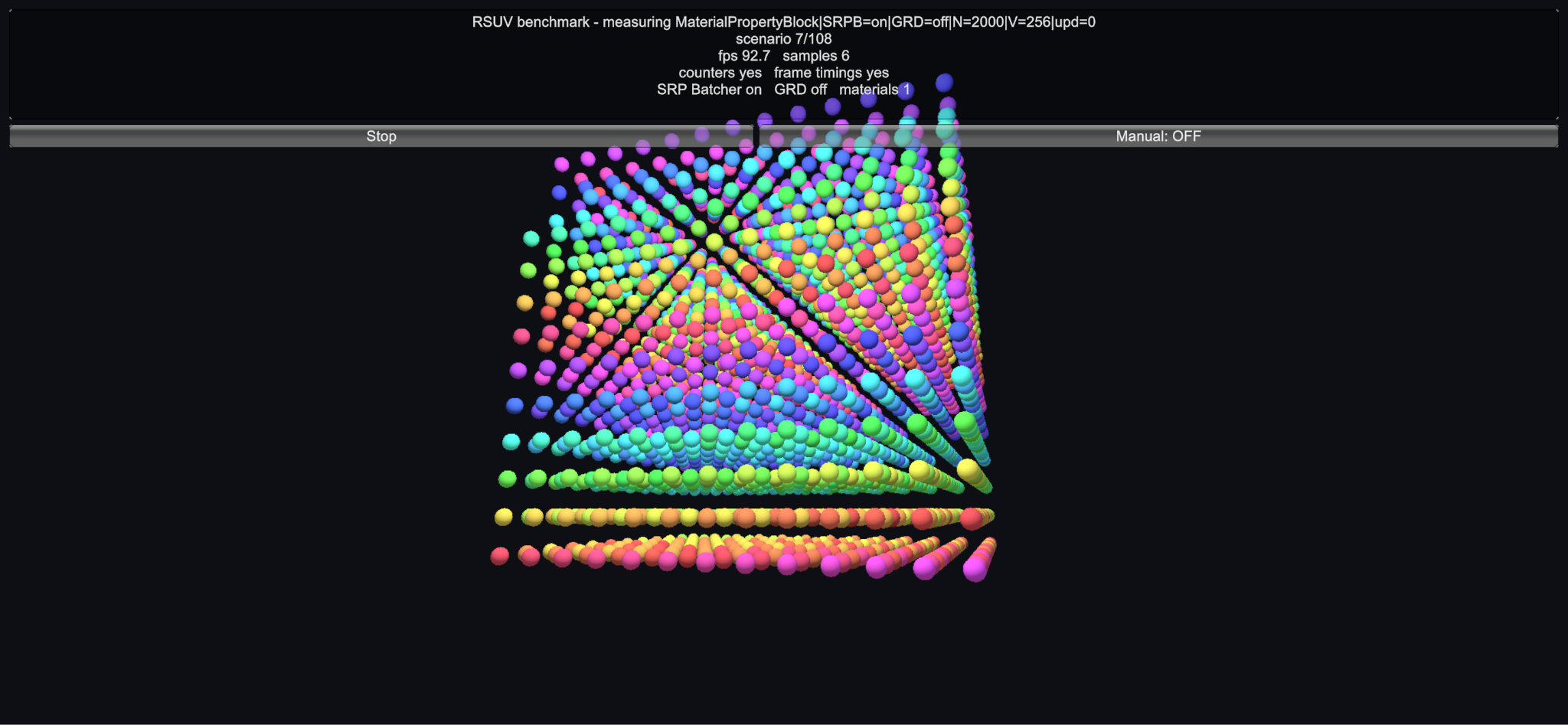
Figure 5.2: Benchmark screen
First is a comparison of memory allocation for each parameter-setting method (Table 5.1).
Table 5.1: Memory increase
| Condition | Memory increase |
|---|---|
| Per-Renderer material | 15.79 MB |
| MaterialPropertyBlock | 3.32 MB |
| RSUV | 1.66 KB |
Because materials are not duplicated, memory allocation is naturally reduced significantly as well. Next, let us look at the frame rate. First is the case where parameters do not change per frame (Table 5.2).
Table 5.2: Frame rate (FPS) when parameters do not change per frame
| Condition | Without GPU Resident Drawer | With GPU Resident Drawer |
|---|---|---|
| Per-Renderer material | 33.8 | 38.8 |
| RSUV | 49.9 | 59.8 |
| MaterialPropertyBlock | 28.9 | 28.9 |
As shown, RSUV performs better than per-Renderer materials, and the effect increases further when combined with the GPU Resident Drawer. RSUV alone reduces the cost of material switching, and GPU instancing with the GPU Resident Drawer additionally reduces the load of issuing draw commands on the render thread. Next, let us look at the case where parameters change per frame (Table 5.3).
Table 5.3: Frame rate (FPS) when parameters change per frame
| Condition | Without GPU Resident Drawer | With GPU Resident Drawer |
|---|---|---|
| Per-Renderer material | 11.1 | 8.1 |
| RSUV | 48.0 | 60.0 |
| MaterialPropertyBlock | 26.1 | 25.2 |
Compared with the case without parameter updates, performance drops significantly with per-Renderer materials, whereas RSUV shows almost no degradation. Changing one material parameter requires re-uploading the entire material to the GPU, whereas RSUV is sent as part of a buffer that is always sent to the GPU for every frame and every Renderer *2, so the additional cost incurred by updating RSUV stays low. Interestingly, mass updates of material parameters and the GPU Resident Drawer do not combine well, and performance appears to be lower than when the GPU Resident Drawer is disabled. As above, RSUV is advantageous in both "parameter updates" and "draw command issuing." The effect of RSUV is especially large in situations where RSUV makes GPU instancing possible, such as when a large number of objects share the same shader and mesh.
5.4. Passing Data Larger Than 32 Bits
RSUV is useful for improving performance in this way, but its major weakness is that it can pass only values that fit in 32 bits. This section introduces a technique to overcome that. To pass data that does not fit in 32 bits with RSUV, an effective method is to store the target data in a separate GraphicsBuffer and pass RSUV an index into that GraphicsBuffer. This method incurs an additional cost for uploading the GraphicsBuffer, so some care may be needed regarding the update frequency and size of the GraphicsBuffer.
[StructLayout(LayoutKind.Sequential)]
struct VariantGpuData
{
    public Vector4 baseColor;
    public Vector4 surface;
}
private static readonly int VariantBufferId = Shader.PropertyToID("_RsuvVariantBuffer");

// Upload and assign the GraphicsBuffer
var buffer =  new GraphicsBuffer(GraphicsBuffer.Target.Structured, count, UnsafeUtility.SizeOf<VariantGpuData>());
var cpuBuffer = new VariantGpuData[count];
FillCpuBufferValues(cpuBuffer);
buffer.SetData(cpuBuffer, 0, 0, count);
Shader.SetGlobalBuffer(VariantBufferId, buffer);

// Set the RSUV
renderer.SetShaderUserValue(index);

// ...

// Release it when no longer needed
buffer.Dispose();
struct RsuvVariantRecord
{
    float4 baseColor;
    float4 surface;
};

StructuredBuffer<RsuvVariantRecord> _RsuvVariantBuffer;

// Access
RsuvVariantRecord record = _RsuvVariantBuffer[unity_RendererUserValue];
5.4.1. Summary
This chapter introduced the background of RSUV, performance measurements, and basic and advanced usage. Although RSUV is limited to 32 bits compared with materials, it can bring significant performance improvements depending on the situation. Identify the situations where RSUV is effective and use it well.
[*1] Getting and setting RSUV on SpriteRenderer requires the 2D Module.
[*2] Only when not instanced. When instanced, it is passed through a GraphicsBuffer together with the other instance parameters, and is uploaded only when the overall parameters change and the GraphicsBuffer becomes dirty.